


Press Start may receive a commission when you buy from links on our site at no extra cost to you.
Logitech has announced that it’s finally releasing the full version of its MIXLINE audio software solution, bringing all the Logitech G product ecosystem together into one easy-to-use and streamlined suite for creators, streamers and players.
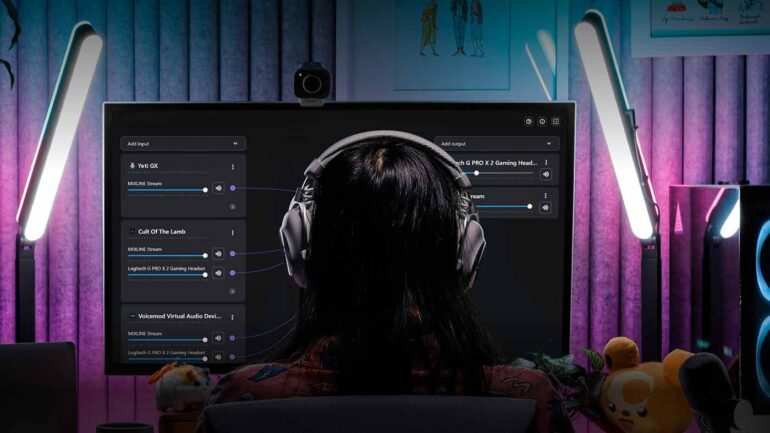
Having been in beta for a time, the full version of MIXLINE aims to make managing multiple audio sources easy, and to do so with minimal system overhead required. The drag-and-mix interface gives users a pretty powerful visual overview of where their audio is coming and going from different sources – whether it’s hardware like a Yeti microphone or software like games.
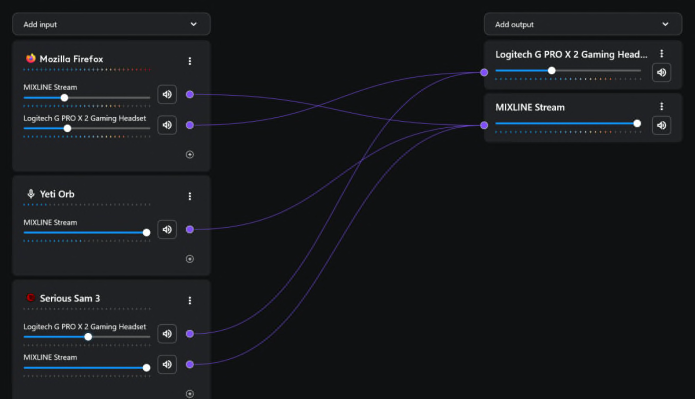
Requiring a single audio driver and keeping things simple and clean means it’s less system intensive, too, freeing up resources for your games and streaming software. Following the closed MIXLINE Beta, the full public version has added some much-requested features like colour customisation of input and output labels for easier identification.
“Anyone who has worked with PC audio routing and mixing knows it can be challenging to learn and manage with the tools that currently exist or with proprietary systems that only work in certain streaming scenarios,” said Andrew Coonrad, Head of Marketing at G HUB, in an accompanying press release. “We’re excited to bring the full capabilities of MIXLINE to our community, as it offers an easy and smart way to manage your PC audio for everything from gaming to full-blown content production.”
You’ll be able to download MIXLINE as of today, right here.
Here’s the breakdown of MIXLINE’s features courtesy of Logitech:
Features of MIXLINE include:
-
Drag, Drop, Monitor: With a clean and straightforward interface, you can drag and draw preferred audio routes, monitor sound with a single button, and connect inputs to multiple outputs.
-
Mix, Stream, and Record in One, Clean Interface: Connect, route, and mix professional-quality audio in a single application. A clean and straightforward interface reduces time, is quickly set up, and efficiently manages audio.
-
Independent Volume Control: MIXLINE makes adjusting the input volumes for each submix individually easier. You can also control the sound for each input and output independently.
-
Customise Professional-Grade Audio: Declutter desktop space without needing an external hardware mixer, maximise stream performance and customise how audio sounds in real time.
-
Max Performance: A simplified system of one driver reduces the clutter in your mix session and maximises computer performance—with no compromise on quality.