


Press Start may receive a commission when you buy from links on our site at no extra cost to you.
UPDATE: The PS5 Update that brings DualSense support to multiple devices as well as the power saver mode is releasing for all PS5 owners today. PlayStation has also confirmed that power saving modes for Death Stranding 2, Demon’s Souls and Ghost of Yotei will also release in the near future.
ORIGINAL STORY: PlayStation has just released details on the next beta PS5 system update and as it teased some time ago, it adds the ability for DualSense controllers to connect to multiple devices at once, and it also adds a new lower power mode that will work with certain games and use up less power from your console.
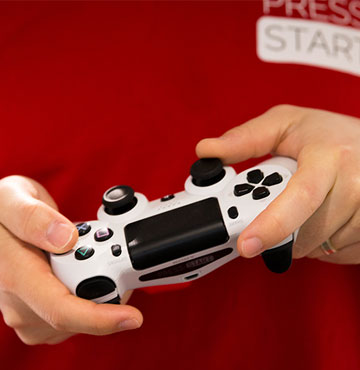
The DualSense pairing will now let you pair with up to four devices including the PS5, PC, iPhone or any other devices that support Blueooth. These will be mapped to the triangle, circle, cross and square buttons which will act as slots and will be activated by holding one of these down as well alongside the PlayStation button.
How to pair the DualSense controller with multiple devices
- Make sure the light bar and player indicator on your controller is off. If they’re turned on, press and hold the PS button until they turn off.
- Press and hold one of the action buttons (triangle, circle, cross, or square) and the PS button for over 5 seconds. The light bar and player indicator flash two times.
- Turn on Bluetooth® on your device, and select the option to add Bluetooth® devices. Your device detects nearby Bluetooth® devices.
- Select your controller from the detected devices. The light bar lights up, and the player indicator’s lights blink according to the slot number.
How to switch devices connected to DualSense controller
- Turn on the device you want to connect to.
- Press and hold one of the action buttons and the PS button for about 3 seconds. When the light bar and player indicator blink, release both buttons. The light bar lights up, and the player indicator’s lights blink according to the slot number.
In an interesting addition (and coming later), PlayStation also announced a new Power Saver mode which will scale pack performance on certain games and allow your PlayStation to use less power. It’ll be interesting to see how this actually effects the performance of games, but might be a good one to use for indie games that maybe don’t use as much power.
This is dropping in beta today, which means we’ll likely see the new update drop in a month or two.